
The Beginner’s Guide to OpenClaw + How Build Your First OpenClaw System in 60 Minutes

If you’ve been anywhere near AI Twitter, dev forums, or indie hacker circles lately, you’ve probably seen the name OpenClaw popping up.
At first, it looks like just another tool.
Another repo.
Another framework.
Another “this changes everything” post.
But the reason it’s getting attention isn’t hype alone.
It’s timing.
We’re hitting a point where a lot of builders are starting to feel the limits of closed systems. You can build fast with tools from companies like OpenAI or Anthropic, but you don’t control the environment. Pricing changes. APIs shift. Features disappear. Guardrails tighten.
And if you’re trying to build something real, something that lasts, that starts to matter.
That’s where OpenClaw comes in.
It sits in this emerging category of self-hosted AI infrastructure. Not just prompting a model, but actually wiring together agents, tools, memory, and workflows into something you own.
A quick note on the founder
OpenClaw didn’t come out of nowhere.
It was built by people who’ve spent time deep in the weeds of AI systems, automation, and developer tooling. Not just shipping demos, but thinking about how these systems actually run in production.
That shows in the design.
It’s not trying to be the easiest tool on day one. It’s trying to be the most flexible over time.
And that’s a very different philosophy.
How I stumbled into it
I didn’t find OpenClaw through a polished launch.
No big announcement. No ad funnel. No “10,000 users in 24 hours” headline.
I kept seeing it mentioned in passing.
A reply here.
A GitHub link there.
Someone quietly saying, “this is interesting.”
That’s usually a signal.
So I dug in.
At first, it felt like overkill. More moving parts than a typical AI tool. More setup. More thinking required.
But then it clicked.
This isn’t a tool you “use.”
It’s something you build on top of.
And once you see it that way, it changes how you think about AI entirely.
Why this guide exists
Most explanations of tools like this fall into two extremes:
Too technical, only useful if you’re already deep in the stack
Too surface-level, just another “AI is cool” overview
This guide is neither.
This is for builders.
People who want to move from:
prompts → systems
outputs → assets
tools → infrastructure
If that’s where your head is at right now, OpenClaw is worth understanding.
Let’s break it down.What OpenClaw Actually Is
OpenClaw is part of a growing shift toward open, modular AI systems.
Instead of relying entirely on closed platforms like OpenAI or Google, OpenClaw gives you a framework to:
Run AI models locally or on your own infrastructure
Customize workflows and agents
Connect tools, APIs, and data sources
Build products without depending on a single provider
At a high level, OpenClaw is about ownership and flexibility.
You are not renting intelligence.
You are assembling it.
Why OpenClaw Matters Right Now
Most people are still using AI like a chatbot.
Prompt in. Response out.
That’s useful, but it’s limited.
OpenClaw represents the next layer:
Automation over interaction
Systems over prompts
Assets over outputs
This matters because:
APIs change
Pricing changes
Platforms disappear
Restrictions increase
If your entire business sits on someone else’s AI, you are exposed.
OpenClaw is part of the move toward sovereign AI stacks.
How OpenClaw Works (Simple Breakdown)
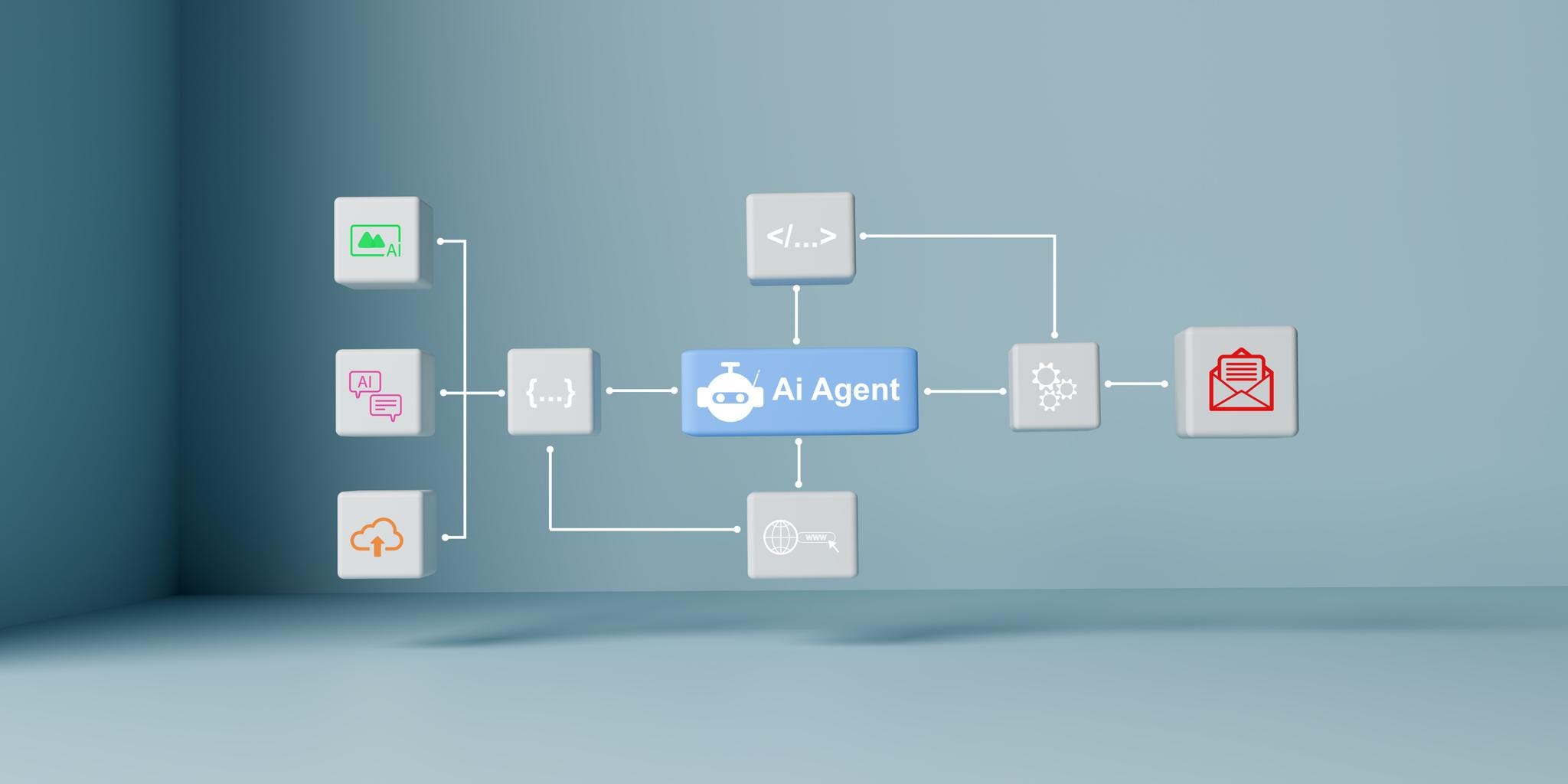
Think of OpenClaw like a set of building blocks:
1. Models
These are the brains.
Local LLMs (like LLaMA variants)
API-based models (optional)
You can swap them depending on your needs.
2. Agents
Agents are task runners.
They can:
Write content
Analyze data
Call APIs
Chain actions together
Instead of one prompt, you create multi-step workflows.
3. Tools
Tools extend what agents can do.
Examples:
Web scraping
File access
Code execution
Database queries
This is where things get powerful.
4. Memory
Memory allows persistence.
Store past interactions
Build context over time
Personalize outputs
Without memory, AI resets every time.
With memory, it compounds.
5. Orchestration
This is the system layer.
It decides:
What runs
When it runs
In what order
This turns simple AI into automated systems.
What You Can Build With OpenClaw
Here’s where this gets interesting.
1. Content Engines
Blog generation systems
Social media pipelines
Newsletter drafting tools
Not one-off posts, full systems.
2. Lead Generation Machines
Scrape prospects
Qualify leads
Generate outreach
Send messages
Think Reddit + X + cold email, all connected.
3. Research Assistants
Analyze markets
Summarize trends
Monitor competitors
Set it once, let it run daily.
4. Internal Business Tools
SOP automation
Customer support bots
Data dashboards
You start replacing manual work.
5. Micro SaaS Products
This is the real opportunity.
Wrap OpenClaw systems into:
Tools
APIs
Dashboards
Now you’re selling outcomes, not effort.
OpenClaw vs Traditional AI Tools
FeatureTraditional AIOpenClawControlLowHighCustomizationLimitedExtensiveAutomationBasicAdvancedOwnershipPlatform-ownedYou-ownedFlexibilityFixedModular
Traditional tools are faster to start.
OpenClaw is better for building long-term assets.
What You Need to Get Started
You don’t need a massive setup, but you do need a few basics:
1. Hardware (Optional but Powerful)
Decent CPU
16GB+ RAM (32GB better)
GPU if running local models
Or just use cloud to start.
2. Software Stack
Python
Docker (for containerization)
Access to models (local or API)
3. Mindset Shift
This is the biggest one.
You are not “using AI.”
You are:
Designing systems
Connecting components
Building assets
That’s a different game.
A Simple Beginner Workflow
Start here.
Step 1: Pick one use case
Example: “Generate daily X posts”
Step 2: Define inputs
Topic
Tone
Target audience
Step 3: Build a basic agent
Prompt template
Output format
Step 4: Add a tool
Pull trending topics
Or scrape Reddit
Step 5: Automate
Run daily
Store outputs
Step 6: Improve
Add memory
Add feedback loop
Now you have a system.
Where Most Beginners Get Stuck
Overbuilding too early
They try to create a full SaaS on day one.Tool overload
Too many frameworks, not enough execution.No clear use case
If you don’t know what problem you’re solving, nothing works.Staying in tutorial mode
Watching instead of building.
The Real Opportunity
Most people will use AI.
A smaller group will build with AI.
An even smaller group will own AI systems.
That last group wins.
OpenClaw sits right in that gap.
It’s not about being technical for the sake of it.
It’s about control, leverage, and optionality.
Final Thought
If you’re building:
Digital products
SaaS tools
Content systems
Lead generation engines
Then learning something like OpenClaw is not optional.
It’s a multiplier.
Start small.
Ship something simple.
Then stack from there.
Build Your First OpenClaw System in 60 Minutes
If you want the fastest possible win with OpenClaw, do not start by wiring up WhatsApp bots, multi-agent routing, or a giant autonomous setup.
Start with one simple goal: get OpenClaw running locally, open the Control UI in your browser, and create one useful assistant workspace you can actually use today.
OpenClaw’s docs say the quickest path is to run the dashboard and chat in the browser, with no channel setup required.
They also note Node 24 is recommended, while Node 22 LTS is still supported.
This walkthrough is built around that path.
What you’ll build in the first hour
By the end of this, you should have:
OpenClaw installed
the Gateway running
the browser-based Control UI open
one working assistant workspace
a simple, practical use case, like a content assistant, coding assistant, or research assistant
